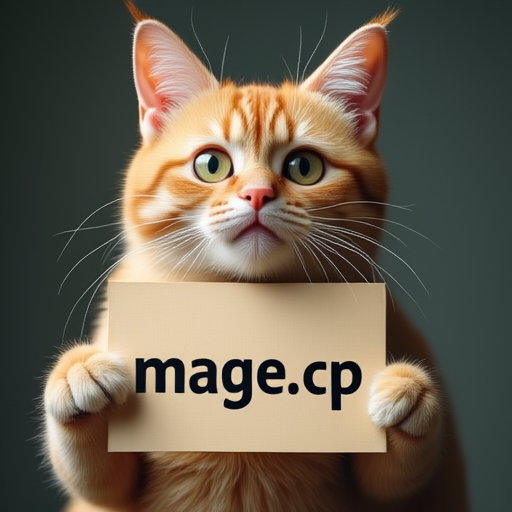
# Mage-Flow
[Mage-Flow](https://github.com/microsoft/Mage) uses a 4B native-resolution multimodal diffusion transformer, Qwen3-VL for text and image conditioning, and the 128-channel Mage-VAE. Both text-to-image and instruction-based image editing checkpoints are supported.
## Download weights
- Download Mage-Flow
- safetensors: https://huggingface.co/microsoft/Mage-Flow/tree/main/transformer
- Download Mage-Flow-Base
- safetensors: https://huggingface.co/microsoft/Mage-Flow-Base/tree/main/transformer
- Download Mage-Flow-Turbo
- safetensors: https://huggingface.co/microsoft/Mage-Flow-Turbo/tree/main/transformer
- Download Mage-Flow-Edit
- safetensors: https://huggingface.co/microsoft/Mage-Flow-Edit/tree/main/transformer
- Download Mage-Flow-Edit-Turbo
- safetensors: https://huggingface.co/microsoft/Mage-Flow-Edit-Turbo/tree/main/transformer
- Download Mage-Flow-Edit-Base
- safetensors: https://huggingface.co/microsoft/Mage-Flow-Edit-Base/tree/main/transformer
- Download Mage-Flow vae
- safetensors: https://huggingface.co/microsoft/Mage-Flow/tree/main/vae
- Download Qwen3-VL 4B
- safetensors: https://huggingface.co/Comfy-Org/Krea-2/tree/main/text_encoders
- gguf: https://huggingface.co/Qwen/Qwen3-VL-4B-Instruct-GGUF/tree/main
## Text-to-image
Use 30 steps for Base models and 4 steps with `--cfg-scale 1` for Turbo models. Image dimensions must be multiples of 16; the official checkpoints are trained for native resolutions from 512 to 2048 pixels.
```bash
.\bin\Release\sd-cli.exe --diffusion-model ..\models\diffusion_models\Mage-Flow-Turbo.safetensors --llm ..\models\text_encoders\Qwen3-VL-4B-Instruct-Q4_K_M.gguf --vae ..\models\vae\mage_vae.safetensors -p "a lovely cat holding a sign says 'mage.cpp'" --cfg-scale 1.0 --steps 4 --diffusion-fa -v --offload-to-cpu
```
 ## Image editing
Mage-Flow-Edit accepts one or more reference images. The default `mage_flow` reference preset sends each image to both Qwen3-VL and the diffusion transformer, caps the VLM copy's longest edge at 384 pixels, and keeps the VAE copy at the requested output resolution.
For the Turbo edit checkpoint, use 4 steps and `--cfg-scale 1`.
```bash
.\bin\Release\sd-cli.exe --diffusion-model ..\models\diffusion_models\Mage-Flow-Edit.safetensors --llm ..\models\text_encoders\Qwen3-VL-4B-Instruct-Q4_K_M.gguf --llm_vision ..\models\text_encoders\Qwen3-VL-4B-Instruct-mmproj-BF16.gguf --vae ..\models\vae\mage_vae.safetensors -r ..\assets\flux\flux1-dev-q8_0.png -p "change 'flux.cpp' to 'mage.cpp'" --cfg-scale 4.0 --sampling-method euler -v --diffusion-fa --offload-to-cpu
```
## Image editing
Mage-Flow-Edit accepts one or more reference images. The default `mage_flow` reference preset sends each image to both Qwen3-VL and the diffusion transformer, caps the VLM copy's longest edge at 384 pixels, and keeps the VAE copy at the requested output resolution.
For the Turbo edit checkpoint, use 4 steps and `--cfg-scale 1`.
```bash
.\bin\Release\sd-cli.exe --diffusion-model ..\models\diffusion_models\Mage-Flow-Edit.safetensors --llm ..\models\text_encoders\Qwen3-VL-4B-Instruct-Q4_K_M.gguf --llm_vision ..\models\text_encoders\Qwen3-VL-4B-Instruct-mmproj-BF16.gguf --vae ..\models\vae\mage_vae.safetensors -r ..\assets\flux\flux1-dev-q8_0.png -p "change 'flux.cpp' to 'mage.cpp'" --cfg-scale 4.0 --sampling-method euler -v --diffusion-fa --offload-to-cpu
```